TotalAV Antivirus & Security
- 4.2
- Rating
- 10.00M
- Installs
- Free
- Price

 Analysis by App-foxy
Installing a security app is easy; deciding whether it deserves to remain on your phone is harder. I approached TotalAV Mobile Security with that question in mind. Its purpose is straightforward: provide mobile security tools for people who want extra help staying safer while using a phone away from home. After spending time with it, I found an app that makes a strong first impression, but its lasting value depends on how much reassurance and routine protection you actually want from a separate security layer.
TotalAV belongs in the tools category, and it is available free of charge with optional in-app purchases ranging from $4.99 to $59.99 per item. The app comes from Protected.net Group Limited T/A Total Security, carries an Everyone content rating, and has been available since September 21, 2016. It is currently listed as version 3.1.0 and works on devices running Android 6.0 or later. Those details matter because this is not a brand-new experiment: it has had time to establish a recognizable place among mobile security utilities.
What the first week feels like
During the first few days, the appeal is mostly psychological, and that is not necessarily a criticism. A security app gives me a dedicated place to think about threats that are otherwise invisible. Instead of relying only on the phone’s built-in protections and my own caution, I can open one tool and review the security side of my device in a more deliberate way.
You May Also Like

 Blood Strike: 2.5 Anniversary
Blood Strike’s Loadouts Turn Every Drop Into a Tactical Gamble
A close look at Blood Strike’s custom loadouts: how fast access to signature weapons reshapes its battle royale rhythm, rewards preparation, and narrows the gap between fights.

 Pandora - Music & Podcasts
Pandora’s Music Is Easy to Start, but Harder to Recover
Pandora’s strength is its low-effort path from a seed to a station. Its weak spot is how much confidence it asks you to place in connection, setup, and quiet recovery.

 8 Ball Pool
 Is Built on Rivalries, Rematches, and Routine
A close look at the rivalries, rematches, shared routines, and unanswered safety questions that turn a quick pool match into a persistent mobile community.

 Samsung Music
’s Quiet Strength Is Playing What You Already Own
Its reach comes less from spectacle than from dependable access to a personal library. That simplicity is both the app’s strongest retention engine and its ceiling.

 AccuWeather: Weather Radar
AccuWeather Review: A Quick, Clear Forecast for Everyday Decisions
For everyday plans, the best forecast is the one you can understand quickly. AccuWeather makes rain timing, radar, and local conditions easy to act on, with a few trade-offs.

 Hill Climb Racing
Why Hill Climb Racing Still Turns Crashes Into One More Run
A tiny car, a bumpy hill and one more upgrade: Hill Climb Racing keeps resurfacing because its simple chaos makes every near-miss feel personal.
More From Our News Desk



The free entry point makes trying it less intimidating. I do not have to commit financially before deciding whether its approach suits me, while the optional purchases provide a route for users who want more from the service. I would still recommend reading each upgrade screen carefully rather than assuming that every useful-looking option is included in the free experience. Security apps often become frustrating when a user expects one level of coverage and discovers another after setup.
My preferred way to test an app like this is not to install it and immediately forget about it. I use the first week to establish a simple routine: open the app after installation, review what it reports, check whether its recommendations make sense, and then revisit it after normal phone use. That second look is important. A security tool should fit ordinary behavior, not require constant attention or make me feel that every harmless action is an emergency.
The app is aimed at people who want mobile security while travelling, using public networks, opening messages, or handling everyday accounts away from a familiar home setup. That makes it particularly appealing for less technical users and for anyone setting up a phone for a family member. The Everyone rating also makes its general audience clear, although a suitable age rating does not replace sensible supervision for younger users.
One useful first-week habit is to treat the app as a security checklist rather than a magic shield. I would not install it and then start clicking unknown links with confidence. Instead, I would use it to reinforce basic behavior: keep the operating system updated, avoid suspicious downloads, review unexpected warnings calmly, and use unique passwords where possible. The app can support that mindset, but it cannot make careless browsing risk-free.
Who gets the most immediate benefit?
I see the strongest early value for people who are unsure whether their current phone habits are safe. Someone who often connects from hotels, cafés, airports, or borrowed networks may appreciate having a security-focused app available when the phone is being used outside the usual routine. It can also be useful after buying a second-hand device or helping a relative organize a phone, because the app creates a clear starting point for a security review.
There is less immediate benefit for an experienced user who already follows careful security practices and feels well served by the phone’s built-in safeguards. That person may open TotalAV once, confirm that it adds little to their routine, and then stop using it. In that situation, the app is not necessarily poor; it is simply solving a problem that the user may already have under control.
The first-week test should therefore be practical. Ask whether the app helps you notice something you would otherwise overlook, whether its advice is understandable, and whether opening it feels like a useful check or an unnecessary chore. Those answers reveal more than the initial installation experience.
Does it earn attention month after month?
The difficult part of mobile security is not the first scan or the first reassuring screen. It is maintaining sensible protection without turning security into another source of digital clutter. TotalAV’s long-term value depends on whether it becomes a light, occasional checkpoint in my routine rather than an app I feel pressured to monitor every day.
For me, the most realistic schedule is occasional use linked to real events. I would check it after installing several new apps, before a trip, after receiving an unusual security warning, or when helping someone troubleshoot suspicious behavior. This is more sustainable than opening it repeatedly without a reason. A security utility should support a habit that I can keep, not demand attention simply to justify its presence.
A useful month-to-month workflow is to separate prevention from reaction. Prevention means keeping the phone current, being selective about downloads, and thinking before entering information from a message or unfamiliar page. Reaction means using the app when something feels wrong: unusual pop-ups, a strange installation, a lost device concern, or a sudden change in browsing behavior. The distinction helps me avoid treating every notification as equally urgent.
The app’s broad adoption gives it a degree of credibility as a familiar consumer tool. It has a 4.2 average from around 159 thousand ratings, with over 10 million installs and roughly 22 thousand written reviews. I would not treat popularity as proof that it is the best choice for every phone, but it does suggest that many users find the concept approachable enough to keep or recommend.
That popularity also creates a practical expectation: the app should be easy for ordinary people to understand. In my view, the lasting test is not whether it can display a large collection of security terminology. It is whether I can tell what action, if any, I should take next. Clear guidance has more monthly value than a crowded dashboard.
A realistic everyday scenario
Imagine I am travelling and receive a message that appears to come from a delivery company. I am expecting a parcel, so the timing feels convincing. The message asks me to open a page and confirm information. My first response should not be to rely blindly on any security app. I would inspect the sender, avoid entering details immediately, and verify the delivery through a trusted route. TotalAV can be part of that cautionary process, but it does not replace my judgment.
In another situation, I might install an unfamiliar utility because I need a quick feature while away from home. Before doing that, I would consider whether the developer is trustworthy, whether the requested access makes sense, and whether I really need the app. A mobile security tool is more useful here as a second opinion than as permission to install anything without thinking.
These examples show why recurring value is difficult to measure. The app may appear to do very little during a quiet month, and that can be a good outcome. Security is partly about reducing avoidable mistakes before they become expensive or stressful. Still, users should be honest about whether they are actually using the guidance. An installed app that is never opened may offer less practical value than a simple, well-maintained personal routine.
How much maintenance does it create?
The main maintenance burden is attention. I have to decide when to open the app, understand what it is telling me, and distinguish a useful recommendation from something I can safely ignore. That burden is manageable if I keep the routine occasional and purposeful. It becomes less attractive if the app makes me feel that I must constantly supervise the phone.
There is also the ordinary responsibility of keeping the app itself current. The listed version is 3.1.0, and I would keep automatic updates enabled where practical, while also maintaining the operating system. A security app cannot compensate for a neglected phone platform. If the device is old, unsupported, or overloaded with questionable software, installing one more app may not be the complete answer.
Storage and battery are common concerns with any security utility, but I would judge them through actual daily experience rather than assumptions. If the app fits quietly into the background and only asks for attention when needed, it is easier to keep. If it interrupts frequently or duplicates protections already built into the phone, I would reconsider. The right security tool should improve my routine without making the device feel busier.
Another maintenance issue is subscription awareness. Because the app is free to install but includes optional purchases, I would review any upgrade carefully and make sure I understand what I am paying for before confirming it. The free version may be enough for a user who wants occasional reassurance, while someone seeking a broader security package may consider the paid route. The important point is to choose based on a real need, not on anxiety created by a sales screen.
I would also avoid running several security products that perform overlapping jobs unless I have a clear reason. Multiple tools can create confusion, repeated alerts, and competing recommendations. For most people, one understandable security routine is better than a collection of apps that all claim to be watching the same phone.
Where fatigue can set in
The first source of fatigue is repetition. If every visit simply restates general advice without helping me make a concrete decision, I will stop opening the app. Security guidance needs to be timely and relevant. A reminder connected to a new installation or unusual activity is more useful than a vague warning that could appear on any day.
The second is fear-based design. I want a security app to take risks seriously, but I do not want ordinary phone use to feel dangerous by default. If the tone becomes too alarming, users may either ignore everything or pay for features they do not understand. A calm explanation of what happened and what I should do next is much more valuable than dramatic language.
The third is uncertainty about the boundary between free and paid tools. Optional purchases are normal for a free app, yet the experience can become tiring when the user cannot quickly tell which protection is available without payment. I would rather see a clear choice: use the free functions for basic reassurance, or upgrade because a specific need justifies it.
There is also a personal fatigue factor. Some people do not want a separate security dashboard at all. They prefer to rely on the protections already integrated into their phone and focus on updates, careful downloads, and account security. For them, TotalAV may feel like another icon competing for attention. That is a valid reason to skip it, especially if the app does not change their behavior for the better.
The best long-term security app is the one that improves habits without becoming a habit you resent. That is the standard I would apply here. TotalAV can occupy that role for users who appreciate a dedicated checkpoint, but it should not be kept merely because uninstalling it feels irresponsible.
How it compares with the usual alternatives
The most obvious alternative is using the phone’s built-in security features and nothing else. That approach is cleaner and usually requires less maintenance. It is a sensible choice for confident users who keep their device updated, install carefully, and know how to recognize suspicious requests. TotalAV has the advantage of giving less experienced users a more visible place to review security concerns.
Another alternative is a security suite from a company already associated with a desktop computer or an internet service. That may suit someone who wants one account or one support relationship across several devices. TotalAV is more appealing when the immediate goal is mobile-focused reassurance and a straightforward starting point, rather than building a broad technology package around one provider.
Free, single-purpose utilities can also be tempting. They may appear lighter, but I am cautious about installing unknown security apps simply because they promise protection. A security tool needs to be trustworthy, understandable, and maintained. TotalAV’s established presence and large user base make it easier to evaluate than a random utility with little history, although users should still decide whether its actual workflow fits their needs.
For advanced users, a different option may be better if they need specialist controls, detailed administrative management, or protection designed for a business environment. TotalAV is presented as a consumer mobile security tool, and I would not choose it as a substitute for professional device management. Its strength is accessibility, not complexity for its own sake.
My long-term verdict
I would recommend trying TotalAV to someone who wants a dedicated security companion on an Android phone, especially if travelling, helping a less technical family member, or building better mobile safety habits. The free starting point lowers the risk of testing it, and the app’s long presence, 10M-plus install reach, and 4.2 average show that it has found a substantial audience.
I would not recommend keeping it automatically. After the first few weeks, I would ask whether it has helped me make better decisions, provided useful reassurance at the right moments, or become part of a simple maintenance routine. If the answer is yes, it earns its space. If I only see repetitive prompts and no practical improvement, the phone’s built-in protections and careful habits may be enough.
The app is best understood as an extra layer of guidance rather than an invisible guarantee. It cannot remove the need for updates, cautious browsing, strong account practices, or common sense. Its recurring value comes from making those responsibilities easier to remember and easier to discuss, particularly for people who prefer a visible security tool instead of relying on background protections they rarely inspect.
My final view is positive but selective. TotalAV Mobile Security has a clear place on phones where reassurance, reminders, and a dedicated security routine are genuinely useful. It is less convincing for users who already have disciplined habits and dislike additional notifications or upgrade decisions. Give it a focused first-week trial, use it around real security events, and judge it by whether it still helps after the novelty disappears. If it quietly supports safer behavior, it is worth keeping; if it merely adds another source of worry, it is not.
FAQs for TotalAV Antivirus & Security
01What features does TotalAV Mobile Security offer?
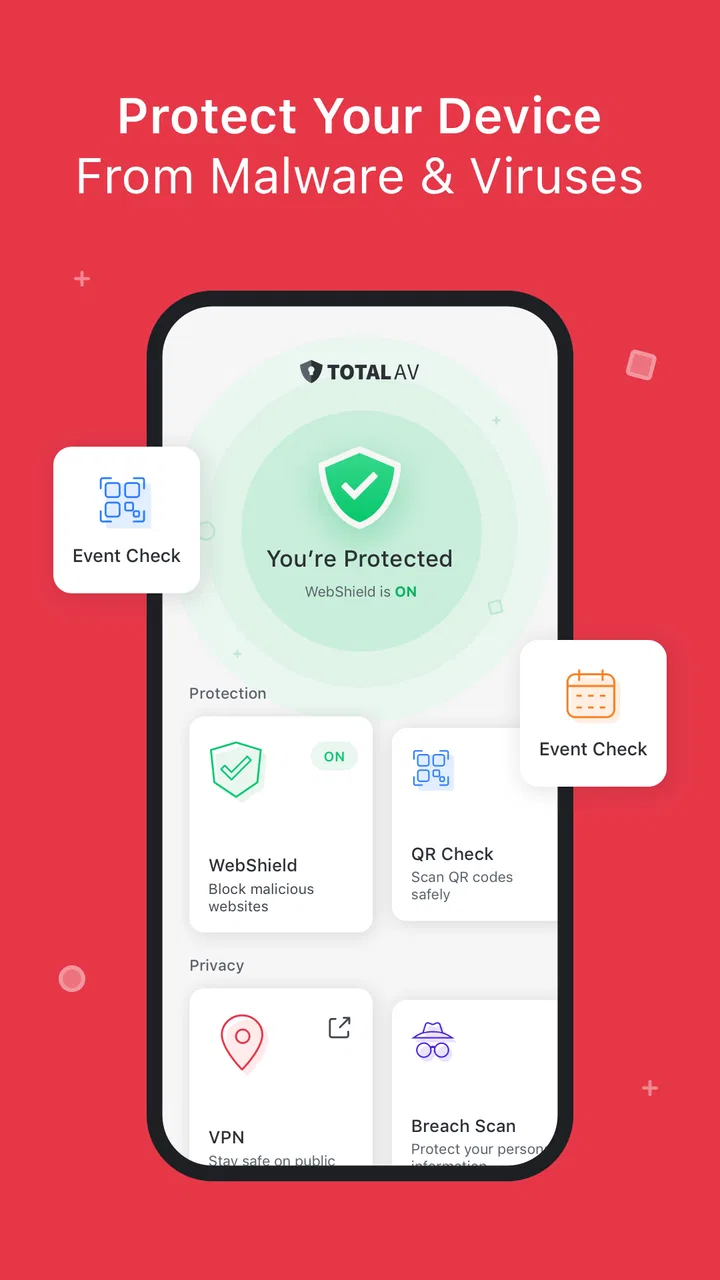
TotalAV Mobile Security provides a comprehensive suite of features designed to enhance your device's safety. It includes real-time antivirus protection, a secure VPN for safe browsing, system optimization tools, and anti-phishing measures. Additionally, it offers device location tracking, app locking, and a photo manager to help manage your media securely.
02Is TotalAV Mobile Security compatible with all Android and iOS devices?
TotalAV Mobile Security is compatible with a wide range of Android and iOS devices. However, it's essential to check the specific system requirements for your device model and operating system version to ensure optimal functionality. Generally, it supports devices running Android 5.0 and above and iOS 11.0 and later versions.
03How does TotalAV Mobile Security protect against malware and viruses?
TotalAV Mobile Security employs advanced antivirus technology to detect and eliminate malware and viruses in real time. It scans apps, files, and downloads for potential threats, providing continuous protection. The app is regularly updated to ensure it can combat the latest malware strains and security vulnerabilities effectively.
04Does TotalAV Mobile Security offer a free trial?
Yes, TotalAV Mobile Security offers a free trial period for new users. This allows you to explore its features and assess its performance before committing to a subscription. During the trial, you can access most of the premium features, but some limitations may apply. Always check the trial's terms for specifics.
05How does the VPN feature in TotalAV Mobile Security enhance privacy?
The VPN feature in TotalAV Mobile Security enhances privacy by encrypting your internet connection. This means your online activities are hidden from prying eyes, such as hackers or your internet service provider. It also allows you to bypass geo-restrictions, providing access to content that might be unavailable in your region.
Pros
- User-friendly interface for easy navigation.
- Comprehensive malware and virus protection.
- Includes device optimization tools.
- Real-time protection keeps data safe.
- VPN feature enhances online privacy.
Cons
- Frequent ads in the free version.
- Some features locked behind paywall.
- Can slow down older devices.
- Occasional false positive alerts.
- Free trial requires credit card info.

TotalAV Antivirus & Security
Gallery